MANAGEALL / PATIENT & CLINIC MANAGEMENTClinic login
COMPLETE PATIENT & CLINIC MANAGEMENT

Run the clinic.
Know every patient.

Appointments, the daily queue, patient records, prescriptions, lab work, inventory and billing—connected in one system.
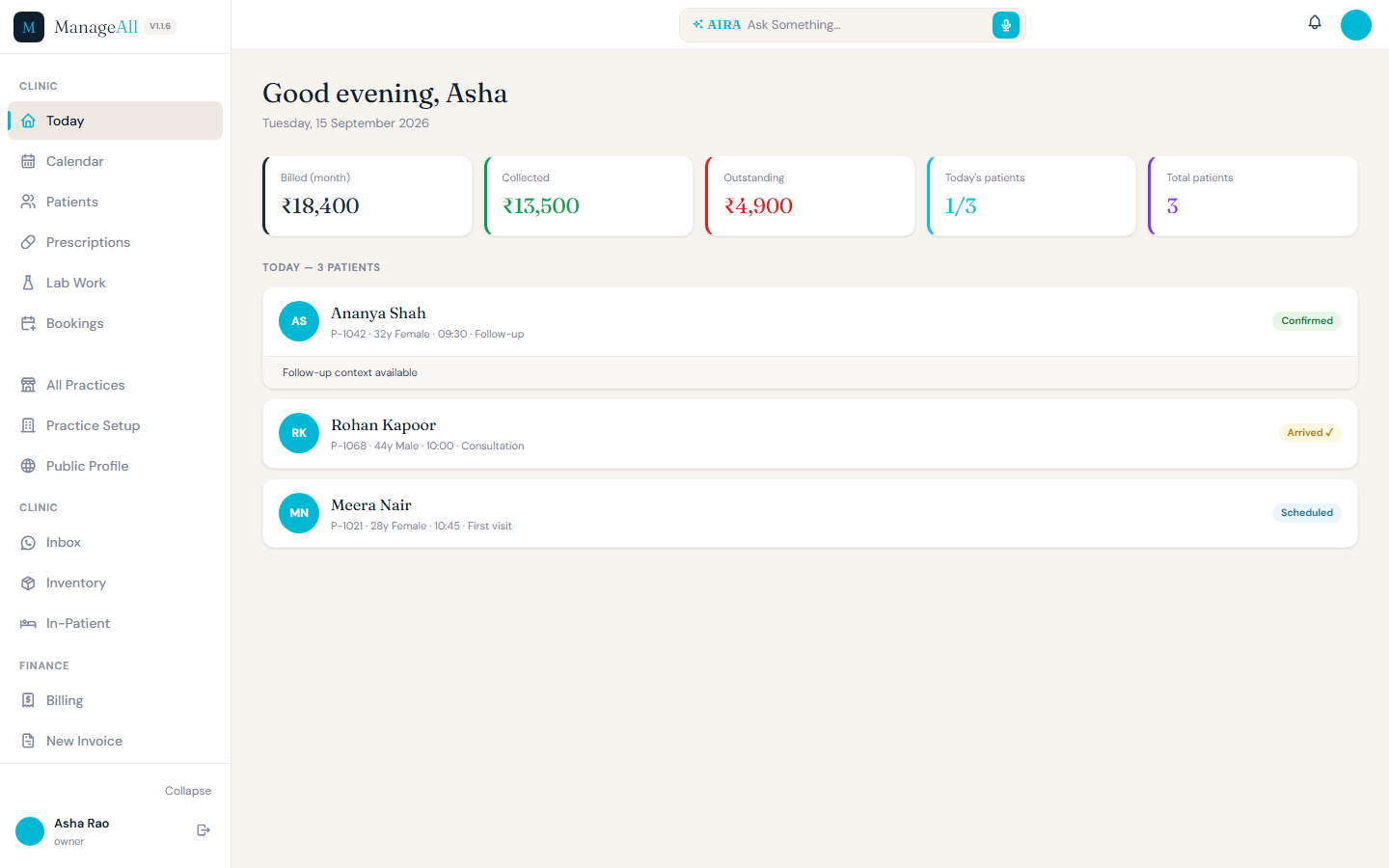
Complete ManageAll Today desktop screen with synthetic patients and visit statuses
DESKTOP / TODAYOpen full screen ↗
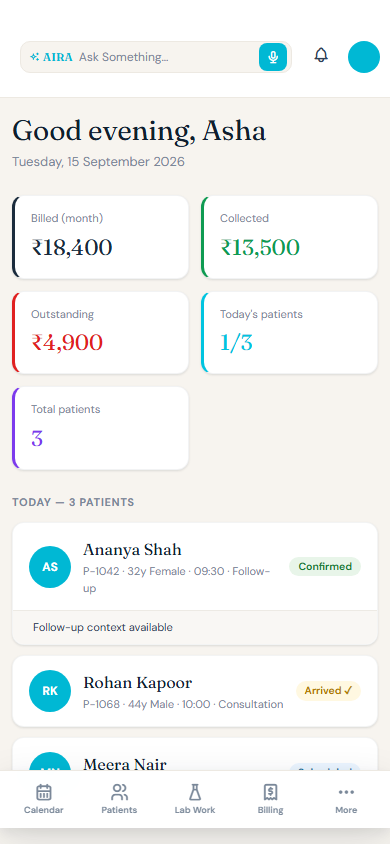
Complete ManageAll Today mobile screen with synthetic patients
MOBILE / TODAYOpen full screen ↗
Actual ManageAll frontend · synthetic sample records · complete, uncropped screens
01Run the clinic dayAppointments, queue and visit status in one live view.
02Know every patientRecords, history, prescriptions, recalls and invoices together.
03Manage the businessBilling, lab work, inventory, staff and practice setup.

See the system at work.

Start with the day, move into the patient record, and keep the operational work around it connected.

The day has a shape.
Everyone can see it.

The calendar brings the schedule, waiting queue and visit status into one view.
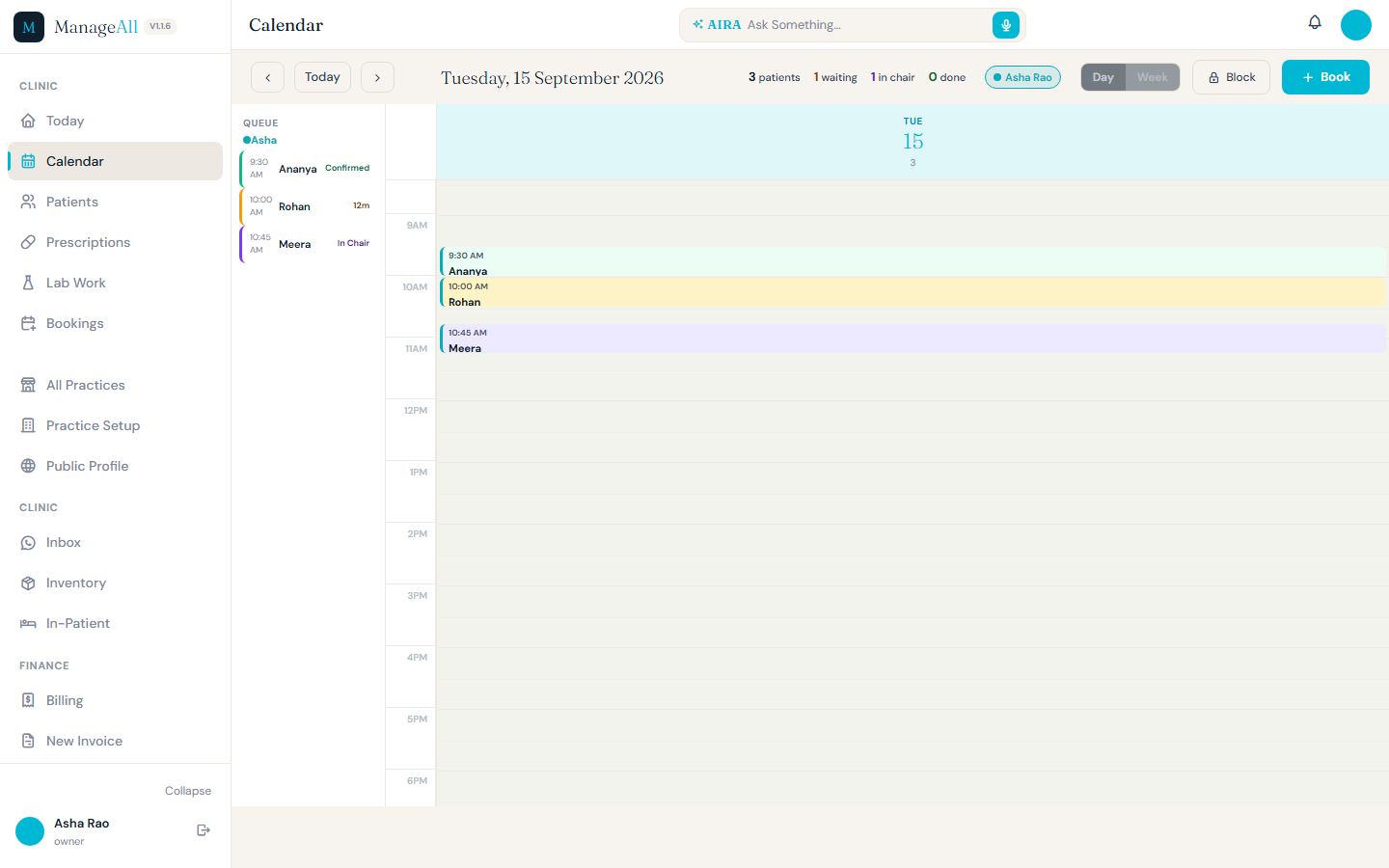
Complete ManageAll calendar day screen with appointment grid, queue and visit statuses using synthetic patients
CALENDAR / DAY VIEWOpen full screen ↗
Waiting queueDay and week scheduleBook from the calendar

One patient.
The useful context.

Allergies, medical history, visit information and recall details sit in the patient record.
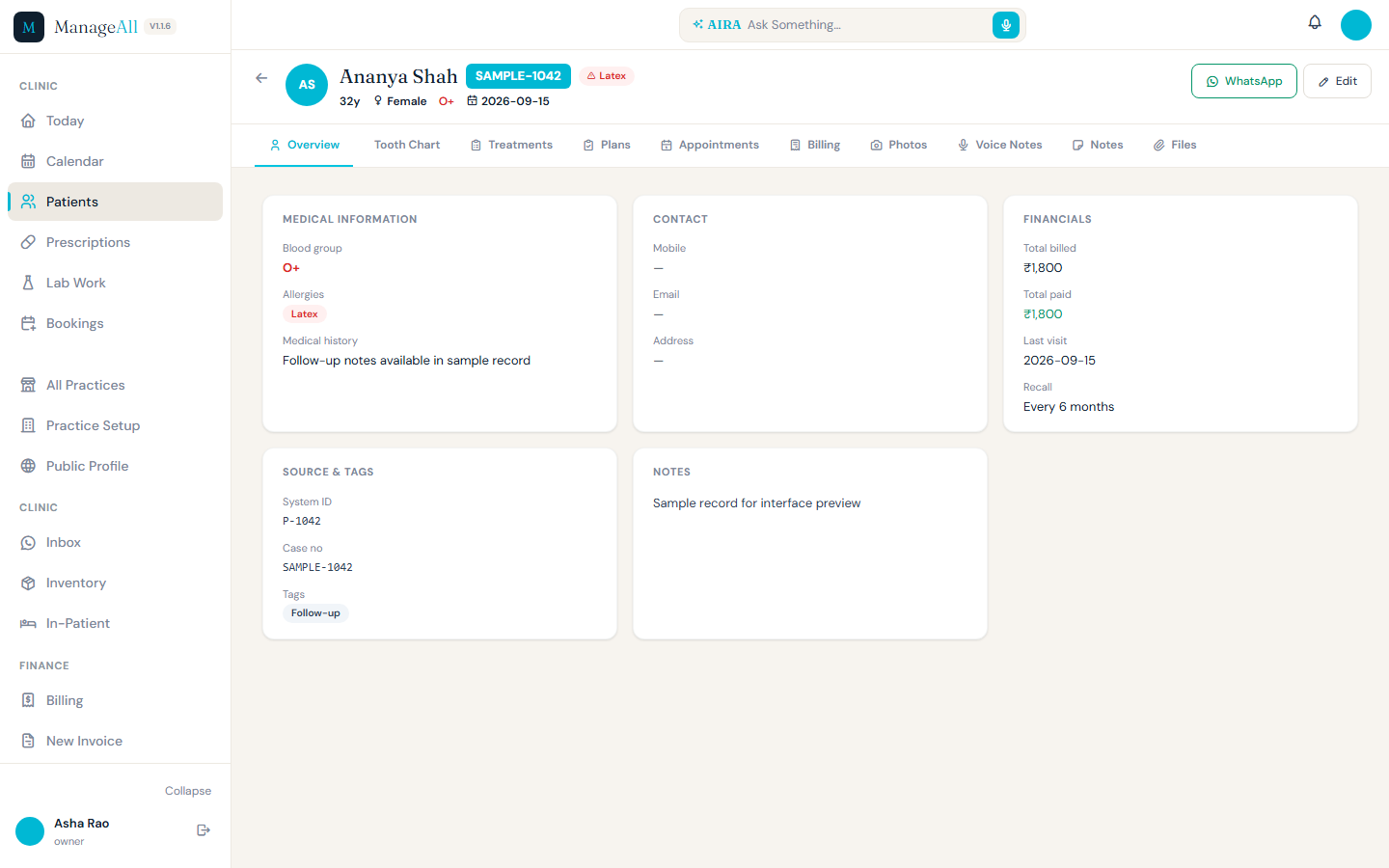
Complete ManageAll patient overview with synthetic medical, visit and recall details
PATIENT RECORD / OVERVIEWOpen full screen ↗
Allergies and historyRecall detailsAppointments and billing tabs

Today’s patient card
opens their record.

Move from the clinic day to the person behind the appointment.

Fill the calendar.
Then manage everything after.

Add your own ManageAll appointment URL to your Google Business Profile. The visitor goes straight to your clinic’s booking widget, instead of a marketplace listing.

Free Google Business ProfileClinic-specific linkBooking into your workflow
See the booking widget
01 / DISCOVERYYour clinic on GoogleYour verified Business Profile can show your appointment link.
02 / BOOKINGYour ManageAll widgetPatient chooses a service, doctor and available slot.
03 / CAREYour clinic dayThe visit joins the clinic workflow and patient context.

A booking page
that belongs to your clinic.

Here is the actual ManageAll widget on mobile, rendered with a synthetic clinic, doctor and slots. Patients can choose a service, doctor and time without first browsing another directory.

Open complete booking screen ↗
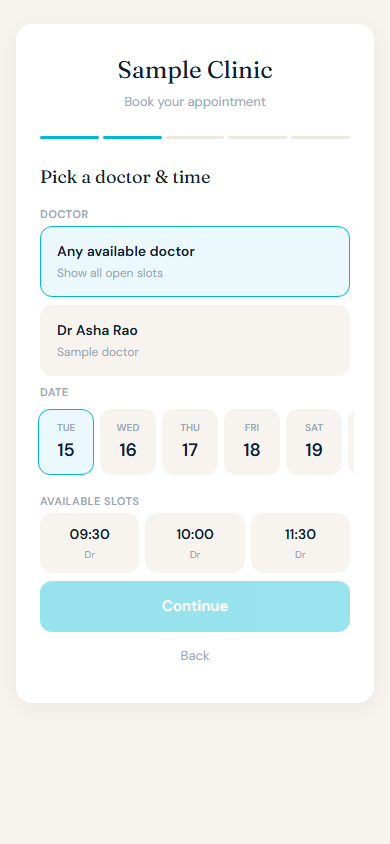
Complete ManageAll appointment booking widget on mobile with synthetic clinic, doctor and available slots
MANAGEALL BOOKING WIDGET / SAMPLE CLINIC

Own the patient journey
from discovery to follow-up.

ManageAll can bring patients from your clinic’s Google profile into your own booking flow. From there, the appointment becomes part of the same calendar, patient record and clinic workflow your team already uses.

Marketplace costs vary by plan. ManageAll’s direct link avoids a marketplace intermediary; Google profile availability and clinic setup still apply.

Illustrative scene of a doctor speaking with a patient in a clinicILLUSTRATIVE CLINIC SCENE

Keep the information close.
Keep the conversation human.

Your patients.
Your clinic. Together.

Clinic login